✓ Free delivery anywhere in New Zealand. Dispatched from supplier's Papatoetoe warehouse. Delivery times vary based on your location.
Dispatch Schedule
Same-day dispatch available Order before 3pm Mon-Fri
Weekend: Orders dispatch Monday
OR
Click & Collect
Order online and collect from our pickup location. You'll receive an email when ready.
Pickup Hours
Monday - Friday 9am - 5pm
Weekend: Ready for pickup Monday
Available From
Papatoetoe, Auckland
Plunket Avenue, Papatoetoe, Auckland
If ordered together with other products, dispatch times may vary slightly.
Free delivery on all orders over $30
99% positive reviews by 5500+ verified customers
Everyday low prices on 1000's of products
100% Kiwi owned and operated since 2000
Products dispatch direct from NZ suppliers
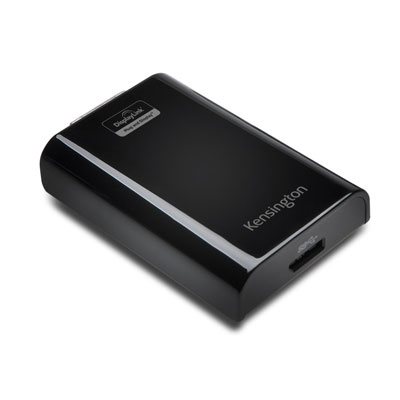
Kensington SD3500v USB 3.0 Docking Station, Dual 2K Monitors, HDMI, DVI, VGA, 4x USB 2.0, 2x USB 3.0
6916925063231
DD33972
Description
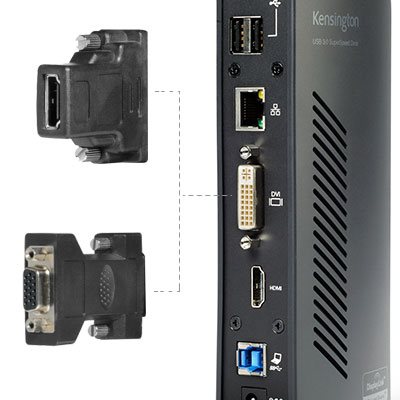
Connect two additional screens with 1 DVI Out & 1 HDMI Out
Expand your workspace by adding additional monitors. Connect your DVI monitor to the DVI port or use the included DVI>VGA adapter to connect your VGA monitor. If you've got an HDMI monitor, you can connect directly into the HDMI out port. You can also connect a second HDMI monitor to the DVI port using the included DVI>HDMI adapter. You can run both the DVI and HDMI ports simultaneously. Docking Stations
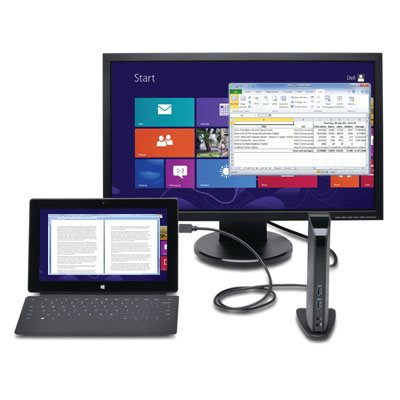
Extend Mode
Extend your workspace by making it bigger. Extend mode allows you to share your whole desktop across multiple screens. Ideal for improved productivity by working with, and viewing, multiple applications at the same time.
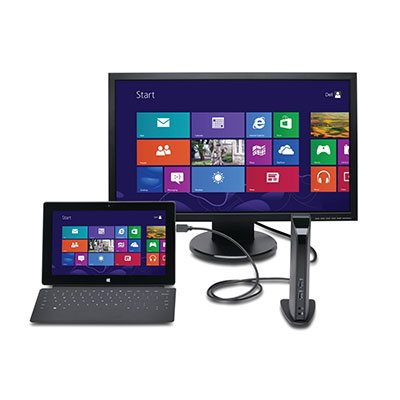
Clone Mode
Allows you to replicate the same content on your second display as you do on your master display.
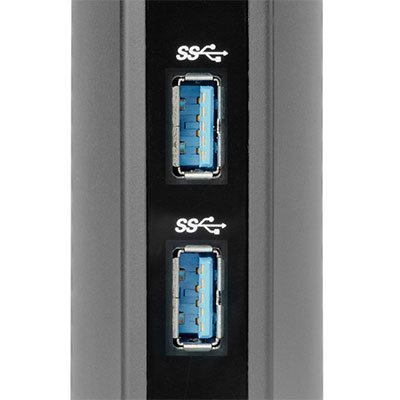
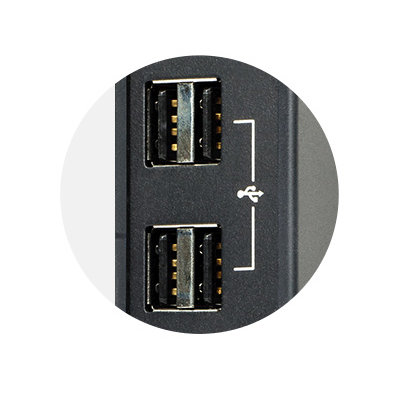
2 Front USB 3.0 Ports
Two fast and powerful USB 3.0 ports are positioned on the front of the dock for when you want to charge a phone or tablet, or transfer data from another device. Headphone and microphone input ports are also conveniently within reach when they’re needed.
4 Rear USB 2.0 Ports
Connect all your peripherals with 4 USB ports. These ports are strategically located on the back of the docking station to help keep your printer, keyboard and mice cables or wireless dongles hidden from view.
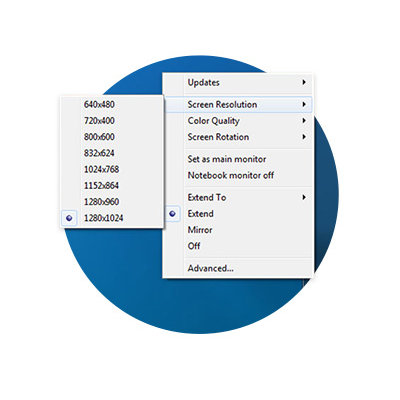
Display Settings Software
Our intuitive display management console sits on your applications bar and allows you to easily switch between display modes, change the master monitor or adjust alignment and position of your screens. Our corporate install support provides for mass installation via the Microsoft® server.
Add more screens
You can hook up even more monitors using a multi-display adapter, which is available separately. These connect into one of the six USB ports and can be used with DVI or VGA monitors.
Free Kensington DockWorks™ Software
Enables the best connection, performance and security from your Kensington dock.
Ultra-thin laptops and 2-in-1 convertibles like the Microsoft Surface Pro offer great mobile productivity and sleek good looks. But that also means they usually come up short on connectivity ports. As a result, you’re constantly plugging and unplugging peripherals. That’s where the SD3500v USB 3.0 Universal Docking Station comes in. It turns one USB port into six so you have access to all your peripherals, including keyboard, mouse, printer and external hard drive. And with dual HD video output, you can add two external monitors to boost productivity. The dock’s two USB 3.0 ports support super-speed data transfer of up to 5 Gbps.
Best for: USB 3.0 Laptops, Ultrabooks & Windows Tablets and Monitors that support up to 2K
Connection technology: USB 3.0 (DisplayLink)
Compatibility: Windows 7 or above, macOS 10.14
No of monitors supported: 2
Video ports: 1 x HDMI v1.2 and 1 x DVI-I (DVI-to-VGA and DVI-to-HDMI supported with included adapters)
Resolution: Single Monitor: 1920 x 1200 @ 60Hz and Dual Monitors: 2048 x 1152 @ 60Hz
DisplayLink driver installation required Download software from Kensington.com or via Windows update.
Warranty: 2 Years
Optimised for your Windows 11 docking station needs, including support for Snap Layouts and Snap Groups.
Vendor Code: 33972
Kensington is the brand behind the laptop lock: the reinforced slot on the side of almost every laptop is the Kensington Security Slot, named after them. Beyond security, they make the desk gear that makes a computer easier to live with, docking stations that connect everything from one USB-C cable, the Expert Mouse trackballs, MagPro privacy screens sized to your display, and the SmartFit ergonomic range of monitor arms, stands and wrist rests sized to your body. See the full lineup in our Kensington range.
Yes there is. Refer to the bulk prices shown under the normal price. The higher quantity you buy, the higher the discount. If you're purchasing much higher volumes, contact us for a special quote.
Yes, we have a pickup option available on this product in selected locations in Auckland. Some products may be available to pick up from Christchurch. Please place an order and choose the Pick Up option at checkout. We'll contact you as soon as it's ready for collection. Refer to processing times for estimated collection times.
We offer our Business Pass accounts for businesses, community organisations and schools. Having a Business Pass account gives you an additional discount to the normal price listed on the product. If you'd like to join, please complete the application form and we'll review it ASAP.
We'd love to help you further on this and other products. Please reach out to us via the help button below and we'll advise on different options.
We offer a wide variety of payment options to give you flexibility in how you can pay for your order.
Credit cards - Visa and MasterCard
Apple Pay
Google Pay
AfterPay
Zip
POLi
Bank transfer
Credit terms - available to approved accounts
All payment methods are available to choose from on the checkout pages. To accept credit terms, please apply for a Business Pass account and select the credit terms option on the form.
All products ship from either our warehouse in Auckland or that of our suppliers and partners in Auckland or other parts of NZ. All products shown on our website are available to ship. We DO NOT ship from overseas.
For most items, we dispatch orders out the same or next business day. Other items take an extra day to dispatch. Larger furniture items may take up to 5 days to ship. Dispatch times are listed on each product to help you estimate when they may reach you. All products ship from either Auckland or elsewhere in NZ so shouldn't take long to arrive to you.
Shipping is free on all products when your order value is $30 or over. Whether you're buying a small pen or a large bulk item such as a cupboard or table, shipping is completely free to you as long as you order over this threshold. Our free delivery applies to anywhere in NZ that a courier is able to reach. For orders under $30, a small charge is applied at checkout.
To learn more about our free shipping, read our shipping policy.
If you're on our Business Pass account, the checkout page will show a PO Number input box to allow you to enter your PO Number. This number will automatically be added to any invoices for the order.
For customers not on Business Pass, use the notes input box on the cart page to add a PO Number to the order.
Please contact our sales team for a quote and we'll reply asap with one you can use to acquire funding for your purchase. If you have specific requirements, please include this in the request.
Yes we do ship to rural addresses and PO Boxes. However, some large items are not able to be shipped to PO Boxes. In these instance, we'll contact you for a physical address.
An invoice will automatically be emailed to you ether immediately upon processing your order or when your order has been shipped. It will be sent to the email address on the order.
For Business Pass accounts, a different email address can be selected to receive invoices. Contact our support team for changing the invoice receiver's email address.
When we dispatch your order, a tracking number is assigned to the shipment. This will be emailed to you via email. In some cases, the tracking number is generated or made available after sending you an email notification that we're preparing your order. In these cases, a tracking number will be updated on your order status page in your account.
To access the order status page, you'll need to login or register with the same email address as used to create the order.
If the product arrives damaged or missing, please contact us ASAP. There is a short window where we can claim for damages occurred during shipment. For any warranty issues, the manufacturer warranty where applicable will be available to repair or replace your product.
No we don't add a surcharge with the use of a credit card to make payments. While it is an added cost to our business, we do not pass this cost on to you as an added benefit to you.
Streamline your workspace with our advanced docking stations. Enjoy seamless connectivity, versatile device compatibility, and enhanced productivity - all designed for effortless plug-and-play convenience.